


Most people who use AI for research writing know this routine. Ask a question, get a good answer, select all, paste into Word. Then spend the next hour fixing it. The formatting is gone, the citation numbers do not link to anything, the reference list is a block of plain text, and the moment you move a paragraph the numbering is wrong.
The answer was the easy part. The document is where the time goes.
One workspace, from answer to manuscript
In tlooto, a report is not the end of the process. With one action it opens in the Research Editor, a paper-format editor that keeps the evidence attached to the words.
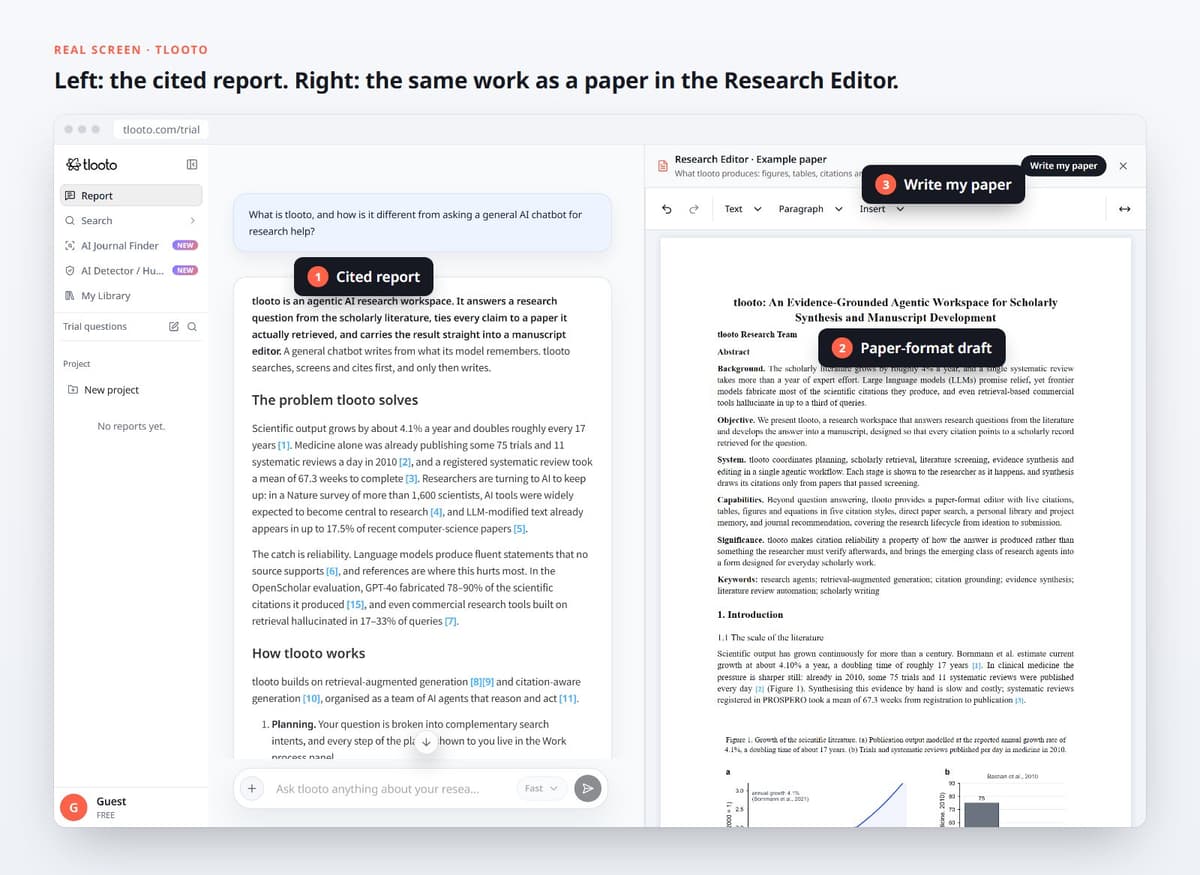
The public tlooto demo: a cited report on the left and the Research Editor on the right.
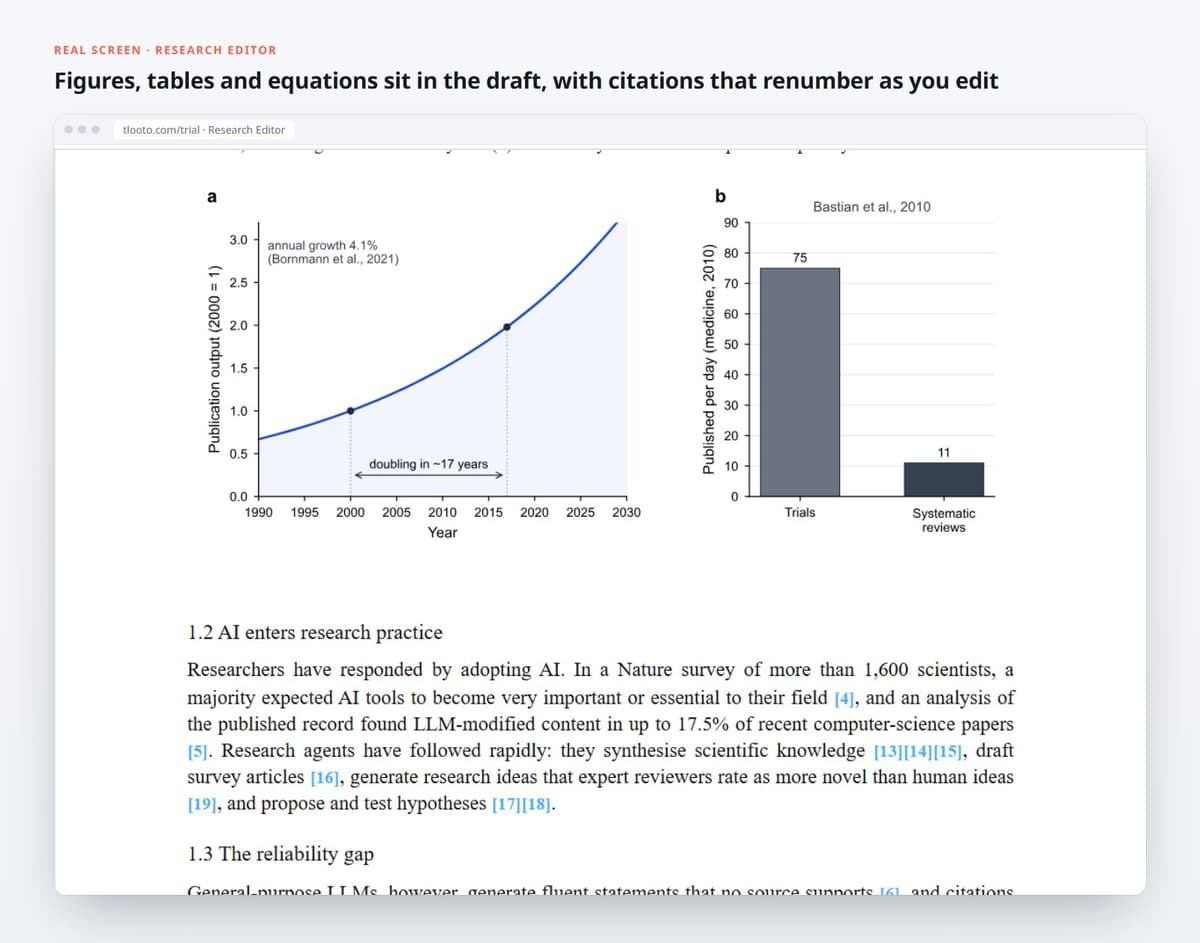
- Live citations. Citations are objects, not text. Move a paragraph and they renumber automatically.
- Five citation styles. APA, MLA, Harvard, Chicago and ISO 690, switched from a menu.
- Headings, tables, figures and equations in a layout that looks like a paper, not a chat log.
- Revise with the evidence in place. Ask tlooto to extend, restructure or tighten a section while each citation stays linked to its source.
- Export to PDF or DOCX when you are ready to hand it to a co-author or a supervisor.
Why this matters more than it sounds
Copy-paste is where citation errors are born. A number gets orphaned, a reference is deleted but its citation stays, two sources merge into one. None of it is dramatic, and all of it is the kind of thing a reviewer notices. Keeping the report and the manuscript in the same place removes the step where those errors happen.
It also keeps the reasoning attached. Because the draft comes from a report built on screened papers, you can always trace a sentence back to the paper it came from, which is what you will be asked to do in a defense or a revision.