


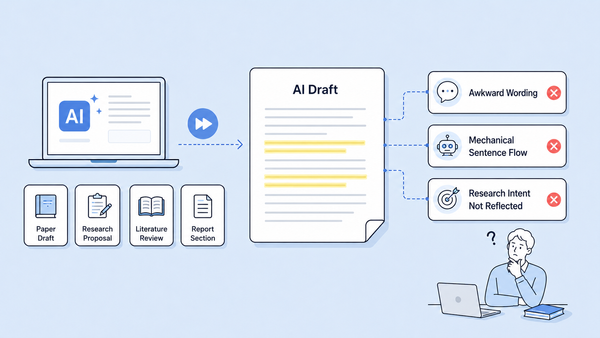
AI can help researchers create first drafts of research papers, proposals, literature reviews, and report sections more efficiently. However, AI-generated writing can sometimes feel unnatural, overly mechanical, or not fully aligned with the researcher’s intended meaning.
With Academic Humanizer in tlooto, you can refine AI-generated academic drafts into clearer, more natural, and more professional research writing.
What Is Academic Humanizer?
Academic Humanizer is a writing refinement feature designed to improve the tone, flow, and readability of AI-generated academic drafts. It can be used for research paper drafts, research proposals, literature review sections, report paragraphs, and other forms of academic writing where both clarity and accuracy matter.
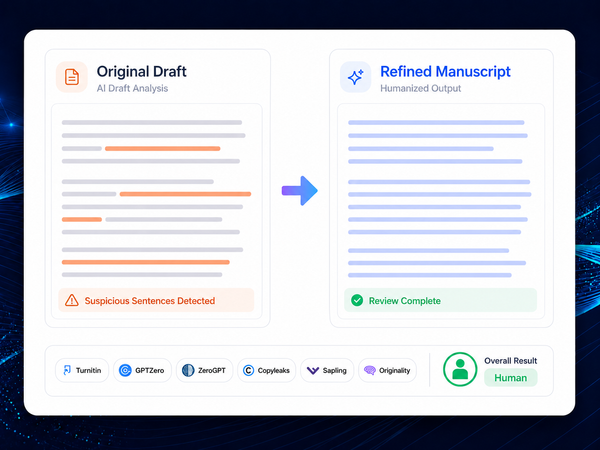
The feature helps improve sentence flow and expression while preserving the core meaning of the original text and the researcher’s intent.
Academic Humanizer is not a tool that writes a paper on behalf of the researcher. Instead, it helps refine an existing draft so that researchers can develop clearer, more polished, and more academic writing.
How to Use Academic Humanizer
Step 1. Select Your Research Field
From the left menu in tlooto, click Academic Humanizer and select the research field that best matches your draft.
Choosing a research field helps the system adjust the tone and expression to better fit the academic context of your writing.

Step 2. Enter Your AI Draft
Paste the AI-generated draft or research paragraph you want to refine.
You can use Academic Humanizer for various types of academic writing, including research paper drafts, proposals, literature reviews, and report sections.
For example, if an AI-generated paragraph feels repetitive, too simple, or slightly unnatural, Academic Humanizer can help make it sound more fluent and research-oriented.
Step 3. Review and Copy the Result
Click the Humanize button to generate a refined version of your draft.
After reviewing the result, you can copy it and apply it to your manuscript. Before finalizing the text, we recommend checking whether numbers, citations, proper nouns, technical terms, and key interpretations have been accurately preserved.
What to Check Before Using the Result
Academic Humanizer helps improve sentence flow and expression, but researchers should always review the output before applying it to a final manuscript.
We recommend checking the following points carefully:
- The original research intent
- Numerical values and statistical results
- Citations and references
- Proper nouns
- Technical terms
- Interpretation of research findings
In academic writing, natural expression is important, but accuracy and consistency are just as critical. For this reason, the refined result should be used after careful review by the researcher.
Make Your AI Drafts More Research-Ready
If a draft created or organized in tlooto still feels awkward or mechanical, Academic Humanizer can help you refine it into clearer and more natural academic writing.
Improve the flow, tone, and readability of your AI-generated draft while keeping your original meaning intact.
From research paper drafts and proposals to literature reviews and report sections, Academic Humanizer helps you move one step closer to a polished academic manuscript.