

tlooto AI now supports expanded file analysis — work with more of your research files in one place
Research files come in many different formats, and switching tools to read each one can slow you down. With this update, tlooto AI now supports a wider range of file types — allowing you to analyze data, documents, references, and structured information all in one place.
Here’s a quick look at the expanded file analysis feature designed to make handling your research materials faster and easier.
What’s newly supported in file formats?
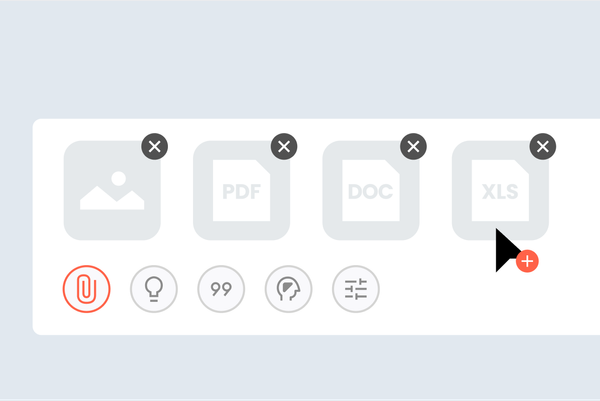
Below is a quick overview of the file types researchers work with most, now supported in tlooto AI:
▪️ Data files (.xlsx, .xls, .csv)
▪️ Structured information (.json, .jsonl, .xml)
▪️ Document files (.docx, .hwp, .hwpx, .txt, .md)
▪️ LaTeX documents (.latex)
▪️ Reference files (.ris, .bib)
▪️ PDF documents (.pdf)
▪️ Image files (.png, .jpg, .jpeg)
Whether your materials are numeric, structured, textual, or visual, tlooto can now interpret them directly.
How this update improves your workflow
With broader file support, you can:
▪️ Review datasets before deeper analysis
▪️ Extract meaning from JSON/JSONL logs or XML-based files
▪️ Quickly understand long documents, drafts, or reports
▪️ Organize and work with reference lists for writing or submission
▪️ Ask detailed questions directly from any uploaded file
▪️ Move more seamlessly between data, documents, and ideas
These improvements help streamline tasks that previously required multiple separate tools.
How to start using file uploads
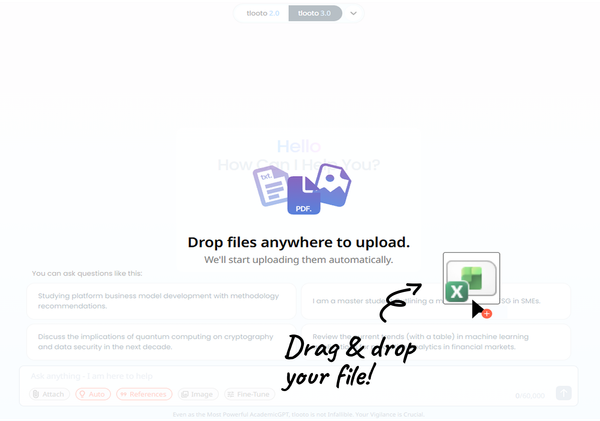
You can begin analyzing your files in two simple ways:
1. Drag & drop your file anywhere on the screen
2. Or click the attach button below the prompt box and add the files
Once uploaded, tlooto automatically reads your file and generates answers based on its contents. You can also continue asking follow-up questions in the same prompt thread, and tlooto will reference the uploaded file throughout the conversation.
Read the Previous Article
-> Create Image: Visualize Your Research Instantly
#tlooto #tlootoAI #AcademicGPT #fileanalysis #AIfileprocessing #researchtools #academicAI #datafiles #documentprocessing #JSONanalysis #XMLanalysis #referencefiles #pdfanalysis #imageanalysis #researchworkflow #researchassistantAI #academicsupport #researchdata #academicwritingtools #structureddata #researchautomation